








Hi wonderful community! 
Meet other people like you in the community! There's always a friend nearby or someone with the same tastes to give you ideas  Add them as a friend !
1. Click on their name or picture to go to their profile

2. Click "Add Friend"

Your future friend will now receive a notification by e-mail or in their WeddingWire Inbox to accept your friend request.
***
To Accept a Request:
1. You can either confirm by clicking on the link in the e-mail you received or in the inbox message.
2. You can also go to your profile to see your "Pending Friend Requests" under the Friends tab.
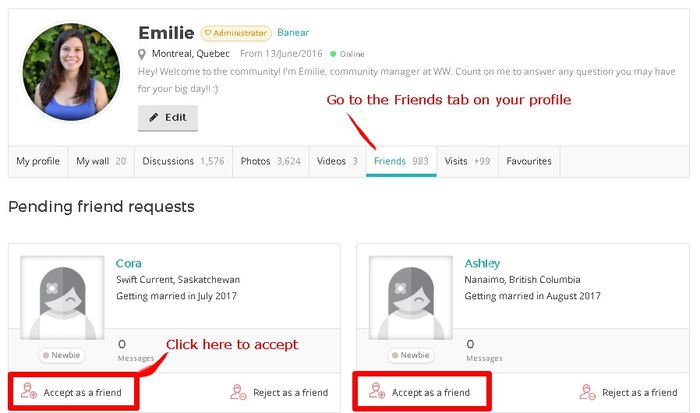
Does this help? 
I hope you will make many friends in here!!